
✦On-device video compressor

Shrink your videos. Free up space.

Your phone is full and your videos are the reason. Issun finds the biggest ones and shrinks them, often to a fraction of their size, without making them look worse.

Download on theApp Store
Google PlayComing soon
iPhone requires iOS 17 or later · Android version on the way
Compressed on device No account Date & location kept
Biggest firstEvery video sorted by size
HEVCModern, efficient encoding
Never biggerNo file grows past its original
100% localNo uploads, no accounts
How it works

From full storage to
free space in four steps.

No settings to study and no file formats to pick. Issun shows you where the space went and handles the rest.

STEP 01

See where your storage went.

Issun lists every video in your library sorted by size, so the space hogs are right at the top. Select the ones you want to shrink.
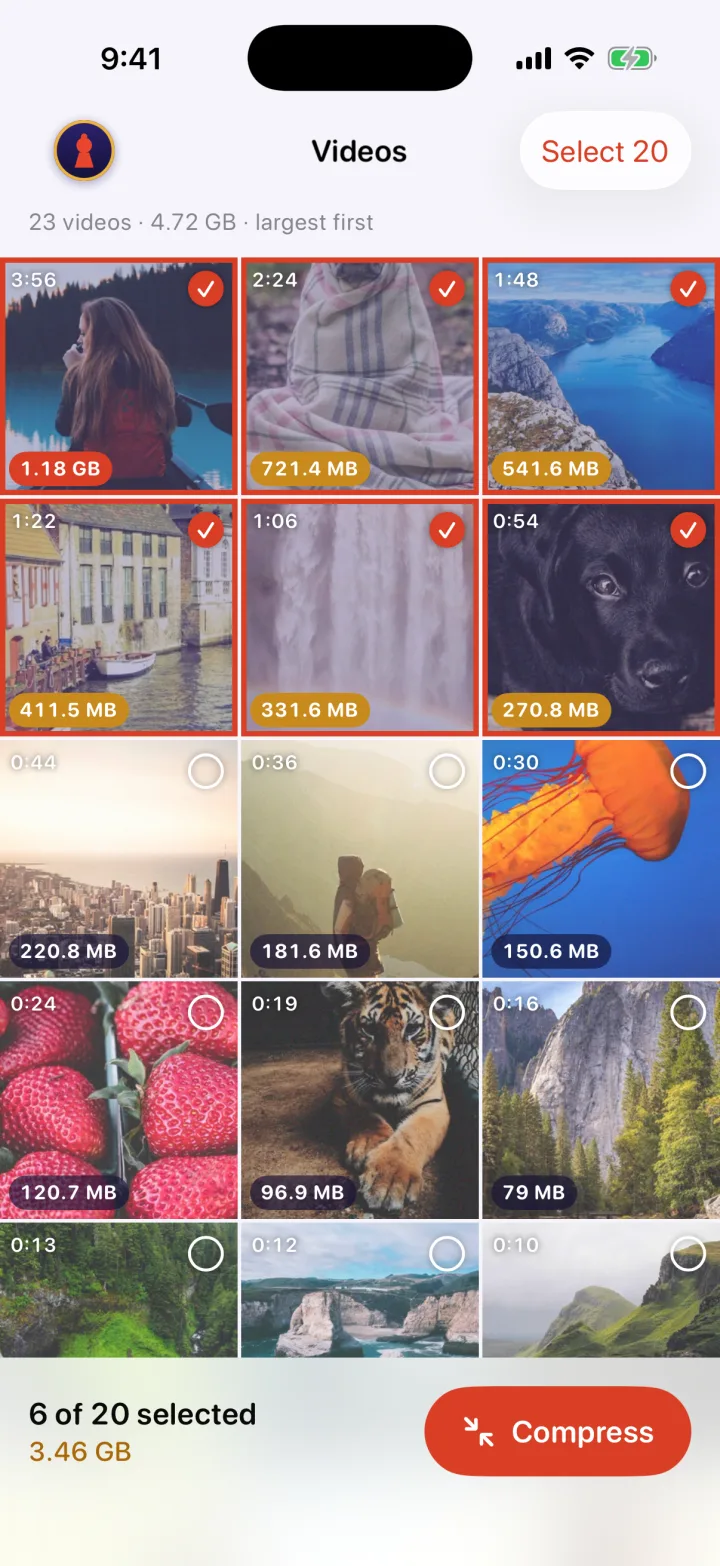
Issun gallery showing videos sorted by size, largest first
STEP 02

Choose the quality and see the savings.

Pick a level from Small to Maximum for all videos at once, or fine-tune each one. You see the estimated size before you start.
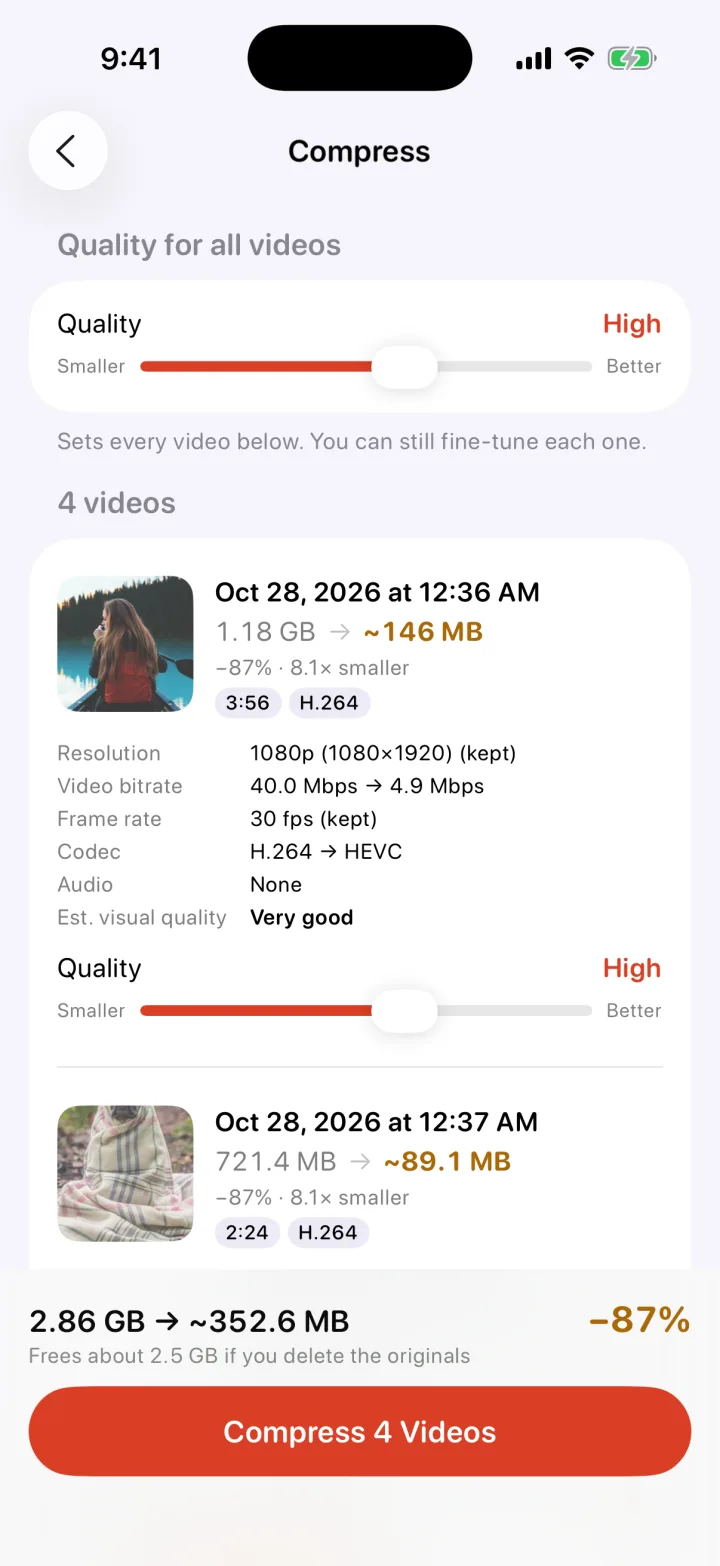
Compression setup with a quality slider and estimated sizes
STEP 03

Compress. Nothing lost but space.

Compressed copies go back into your library with the original date and location, so your timeline stays exactly the same. HDR, orientation and audio are kept too.
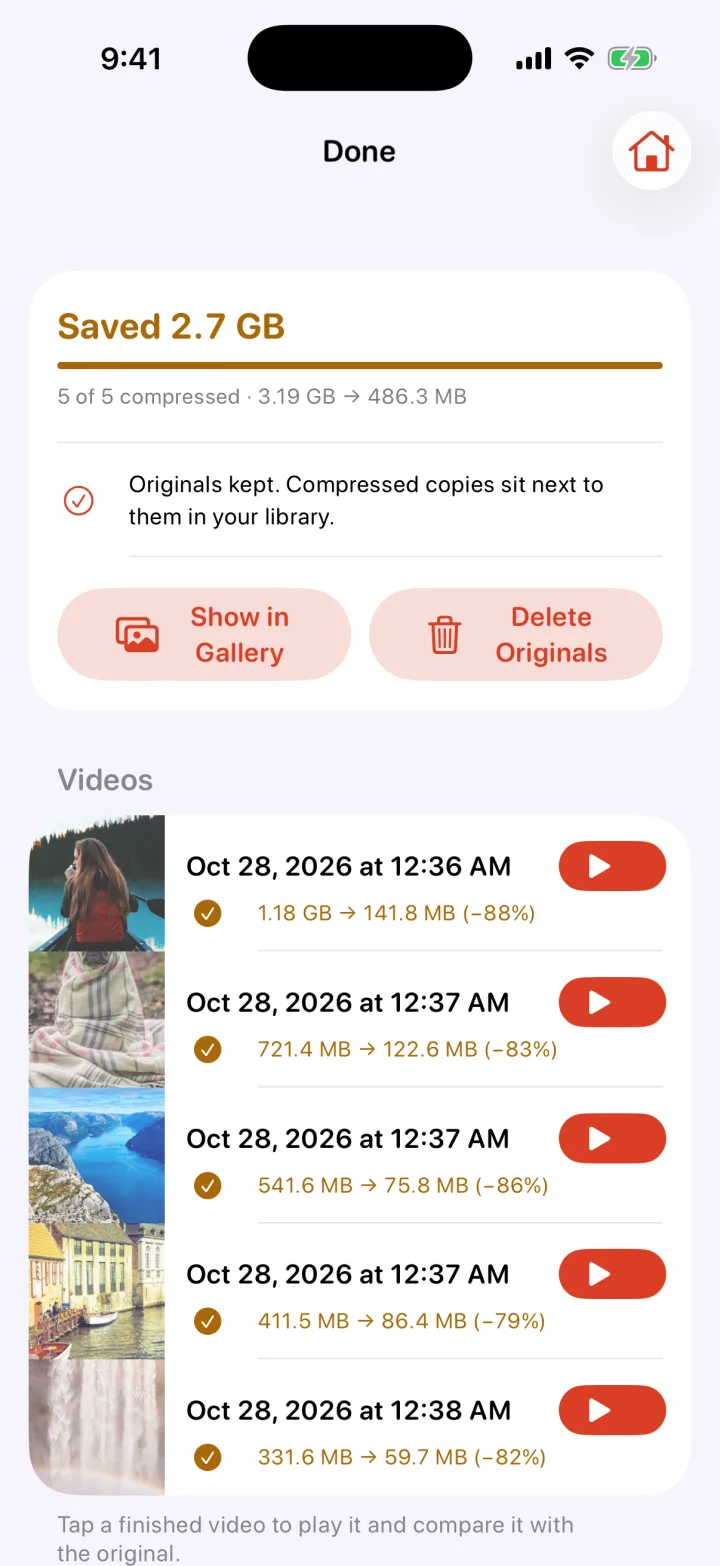
Results screen showing 2.7 GB saved across five videos
STEP 04

Compare, then clean up.

Play the original and the compressed version and switch between them. When you're happy, delete the originals in one step, and Issun walks you through emptying Recently Deleted to get the space back.
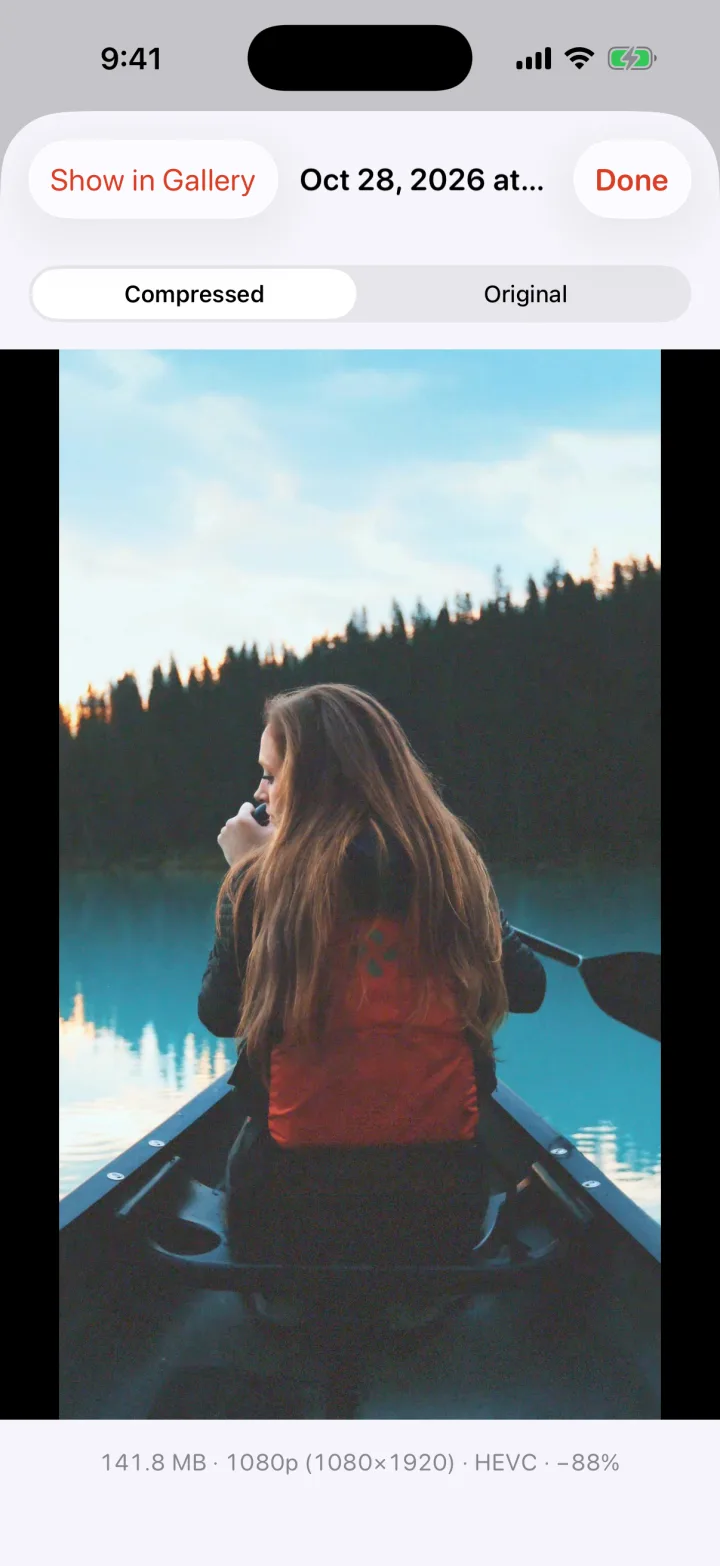
Compare player switching between compressed and original
Features

Small files.
Big memories intact.

Everything you need to win back storage, without losing what matters.

Biggest first

Your whole video library sorted by size, with the total right on top. See in seconds what's eating your storage.

You choose the quality

Four levels from Small to Maximum, with estimated savings and visual quality shown before you start.

Nothing lost but space

Original date and location carried over. HDR, orientation and audio kept. A file never comes out bigger than it went in.

Compare side by side

Play the compressed copy and flip to the original. Delete originals only when you're happy, with one confirmation.

Stays on your phone

All compression happens on your device. No account to create and no uploads, ever.

Keeps going

On iOS 26, compression continues in the background with a system progress indicator while you use other apps.

Your journey

Every gigabyte freed earns a rank.

Issun tracks the space you free and the videos you compress. Climb the ranks and share your savings card.

  1. Little TravelerWhere every journey starts
  2. River Rower100 MB freed
  3. Needle Wielder1 GB freed
  4. Bowl Captain5 GB freed
  5. Oni Slayer20 GB freed
  6. Legend of the Inch50 GB freed

Why "Issun"? The app is named after Issun-bōshi, the one-inch hero of Japanese folklore who sailed a rice bowl with a needle for a sword. Small, but mighty, just like your videos after Issun.
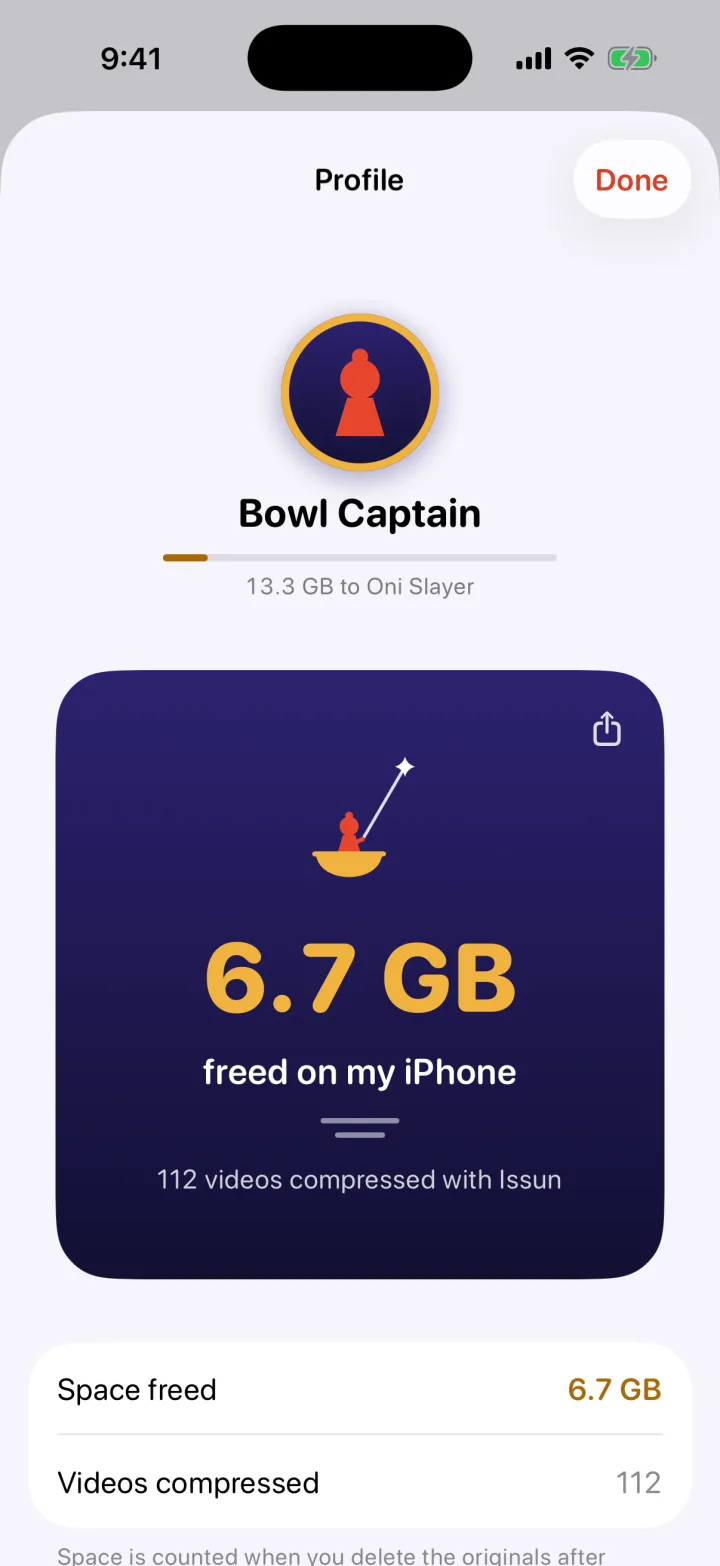
Profile screen with the Bowl Captain rank and a 6.7 GB freed savings card
Privacy

Your videos never
leave your phone.

Issun reads and writes your photo library only on your device. Your videos, file names, dates and locations are never sent anywhere.

On-device compressionEvery frame is re-encoded by your phone itself.
No accountOpen the app and go. No sign-up, no email.
No uploadsWe don't have servers that receive your videos.

Read the full privacy policy →

Support

Questions, answered.

Are my videos uploaded anywhere?
No. All compression happens on your phone. Your videos never leave your device.
Will my videos look worse?
Issun re-encodes to HEVC and shows an estimated visual quality before you start. You choose the level, from Small to Maximum. Afterwards you can play the compressed copy and the original to compare them before deleting anything.
Do I lose the date and location?
No. Compressed copies are saved to your library with the original creation date and location, so they stay in the same place in your timeline.
Where did my storage go after deleting originals?
On iPhone, deleted videos go to Recently Deleted in the Photos app. Empty it to get the space back. Issun walks you through it.
Can I undo a deletion?
On iPhone, yes. Originals stay in Recently Deleted for up to 30 days and can be restored from there.
Why is there an ad?
A short video ad plays while each batch compresses. If no ad is available, compression continues without one.
Which devices are supported?
iPhone with iOS 17 or later. Background compression with a system progress indicator needs iOS 26. An Android version is coming soon to Google Play.

Still stuck? Questions, bugs or feedback: issunapp@gmail.com. We usually reply within a few days.

Issun app icon

Make room for
new memories.

Find the biggest videos on your phone and shrink them, right on your device.

Download on theApp Store
Google PlayComing soon